SharePoint Conference 2012 in Las Vegas report part2


Hi friends.

Last ‘free’ day Before the real action starts.
http://www.mssharepointconference.com (adding Pictures later on when I get them uploaded)
Today was registration day, after saying hello to a few extremely relaxed ‘guards’ that were positioned to show us all the way forward…we found the registration boths, new this year was the selfservice checkin, using your ID used to register, you printed your own badge and then simply picked it up. We all got a backpack complements of HP and with it a lot of information and the most important thing of all, the wristband for the Bon Jovi party later in the week.

Me and my Conference buddy from back home had planned to rent a car, then go to Grand Canyon and the Hoover dam, then spend the rest of the day at one of the large Outlets in Vegas. The plan however had flaws…
After having a good US breakfast at the Luxor Pramid cafe, we ran into some hurdles…getting a car was not that easy, especially when youre on a budget, we ended up beeing 2 hours late and paying more than we planned to. If we only had made reservations from back home…
.Then, once on the road we noticed that it was farther away then we forst had thought. I would say about 60 miles and 10 of them on gravel. But, we got there…West Grand Canyon. We had not expected the admission fee (including a lot of Native Indian perks) of $44…

At least the 44 included a hop on/hop off bus tour that took us to Three different view sites, the Grand Canyon was spectacular!! If you ever come to Vegas, see it!

When we got going again it was getting late, the sun were setting and we started to worry about making the Welcome reception.

Since my buddy had not seen the Hoover Dam Before, we had to make a Quick stop there as well on the way back, it was dark when we got there but it was still a good experience. Perhaps even better in the dark, you tell me?

Next this was that we had to fill the car up with gas and, the difficult thing, we had to wash the car from driving on the gravel, if you did not, you got a fine of $40…it took us more than an hour driving all across Las Vegas looking for the carwash Place…when we finally found it, got he car cleaned up and parked back at Mandalay Bay, it was too late for the Welcome Reception…I got to drive a lot of car though…

A quick fast food dinner and we diceded to skip the chance of getting 5 minutes at the reception and instead, gather our strength for tomorrow instead, breakfast at 7:30 and then its time for the first starting keynote. I can’t wait.

I’ll try to keep reporting to all off you directly each and every day during the conference in order to share some parts of the great experience…

Stay tuned, this me, signing out, from day two of my SharePoint conference experience.

Part 1 of this report
Part 3 of this report


_________________________________________________________

Enjoy!

Regards

Twitter | Technet Profile | LinkedIn

SharePoint Conference 2012 in Las Vegas report part1


Hi friends.

Next week is Sharepoint conference week, it starts Monday, not a big deal for most of you, but for us going…what a great time to look forward to.
http://www.mssharepointconference.com

This is my second consecutive SharePoint Conference and this year we have a new version out, which means it will be a little bit extra. All the new features, the new ways of doing things, the new experiences and even the new ways to license…its all new and that has got t be exciting!

I have been to quite a few of these Microsoft events in the US, perhaps around 10 over the years, internal and external like this time, and I have to tell you, Microsoft are good at throwing these things.
I have heard that Microsoft this year expects around 10.000 attendees to show up, and the simple challenge of managing all of them is no small feat. However, I feel certain that it will all be world class as usual.

Last year was great, it was in Anaheim California and it was all about the experiences people had had with 2010, this time its a little bit different, its Las Vegas and its going to be all about the news in 2013…
What can we do now that we couldn’t before, what has been removed and what has been learned from 2010 and incorporated into this version 2013?

Vegas will require some attention to be sure, but the Conferences Sessions will be winning my attention. Call me a geek but I’m so looking forward to the learning part, to the part where I get new ideas, where i discover new things in SharePont. No offense LasVegas, but what you have to offer doesn’t stand a chance…(to me, but I’m guessing a lot of the 10.000 will think and act differently) I’ve been to Vegas once before, 15 years ago, same time as the premiere of Star Wars I…same time as the Matrix came out…

We came to Vegas a friend and I, in a rented Mustang convertable from San Fransisco…we came at night and Vegas was all open 24/7…after spending 5 nights during which we tried most of what Vegas had to offer (thats legal), I never thought I would want to come back, or that I would ever find a reason good enough…but trust me, right now while writing this post, sitting on a plane, 4 hours into a 20 hour trip, I cant wait to see Vegas once again and more specifically, to go to the conference!

I’ll report to all off you directly each and every day during the conference, for those of you who can’t be with us onsite, i’ll try to share some parts of the great experience…

Stay tuned, this me, signing out, from day one of the SharePoint conference experience.


_________________________________________________________

Enjoy!

Regards

Twitter | Technet Profile | LinkedIn

Anonymous Authentication always on in SharePoint 2013


Hi friends.

Anonymous access is default on in SharePoint 2013, even if you select No?

First, remember, this is all just a reflection made by me and most likely, there is some obvious reason as to why this is, that simply just eludes me at this point. I know that SharePoint does not in itself allow Anonymous access, that has to be configured, but IIS allows it which seems to me like a bad idea.

I noticed this disturbing thing this morning when I created a Quick Web Application in a SharePoint 2013 test farm of mine running on Windows Server 2012. Thing was, I created a web application from the Central Administration GUI and selected all the quickest options, Default Everything but to use an existing Application Pool. This means that we select Windows Authentication, NTLM only and NO Anonymous access.


Let me explain…
On a SharePoint 2013 farm running on Windows Server 2012:
I created a normal Web Application using only the Central Administration GUI. I used port 2013 just to show where it is, then default on all security settings.

Like this:

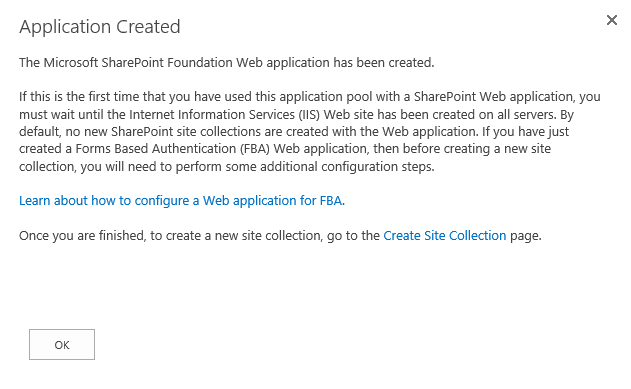
I seelcted to use an existing Application pool to save time and Resources, but that is not relevant. Ok to create:

Next I checked what was actually done in IIS, from the preview I remebered having some questions on how this was performed…
In IIS 8.0 on Windows Server 2012 it looks like this:

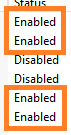
Notice how 4 providers are enabled by SharePoint as default.
Anonymous Authentication
ASP.NET Impersonation
Forms Authentication
Windows Authentication

These are all enabled by default, Windows Authentication has only NTLM configured like we selected in CA. We also get a warning from having Forms Based authentication(redirect) and Windows Based(Challenge) enabled at the same time. IIS does not like this but I have managed to find out that this is ok, given certain circumstanses you need it to be this way.


If we do the same thing on a SHarePoint 2010 farm running on Windows Server 2008R2 and IIS 7.5:

We select to use NTLM and to not allow Anonymous, same as in 2013.

The settings in IIS:

And the list of providers look like this:

Like you can see, SharePoint 2010 only enables ASP.NET Impersonation and Windows Authentication.

If we put the two up side by side, it looks like this:

See?

The question is, does this affect security in any way?
Is it still as secure?
Why not simply disable Anonymous Authentication?

If anyone has any good suggestions or explanations, please submit them as a comment and I will update this post to reflect the facts.

References:

A really good link that explains the inner workings of claims based authentication in SharePoint, valid for 2010 and 2013 alike.
(Thnaks nojanaj for the tip)

Multiple Authentication Methods in SharePoint 2010
http://shpt2010.wordpress.com/2011/11/10/multiple-authentication/

_________________________________________________________

Enjoy!

Regards

Twitter | Technet Profile | LinkedIn